Chrome Zero-Day and AI Agent Hijacking: What CISOs Must Act On This Week
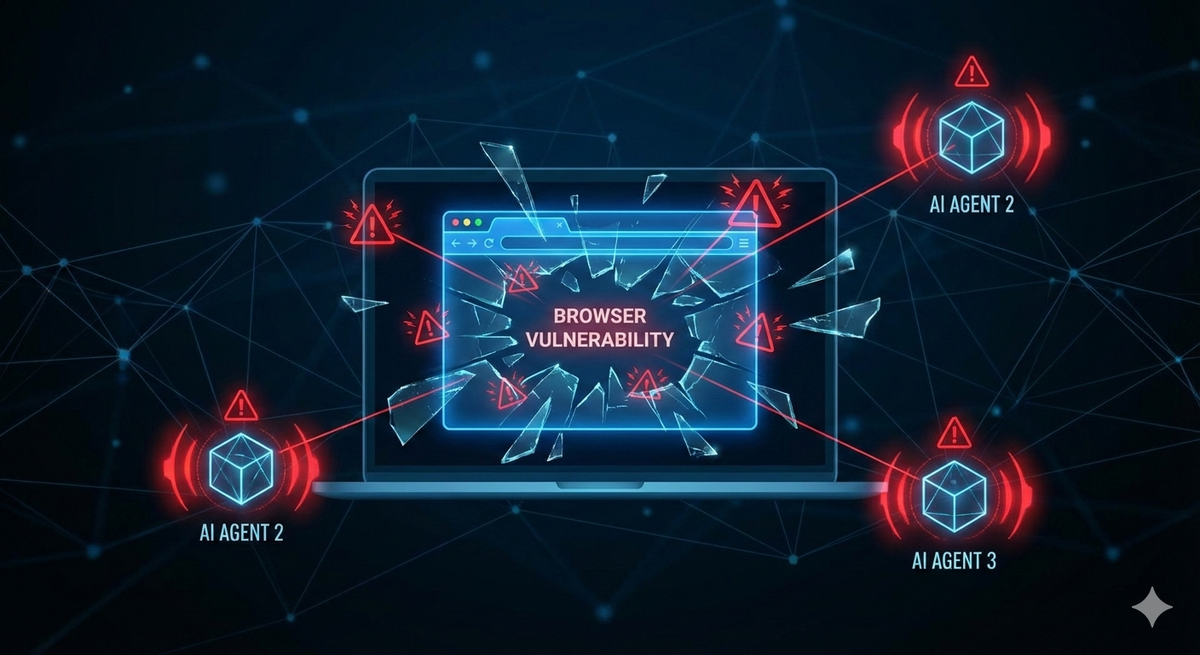
A major reminder emerged about the tools that your workforce uses daily—such as web browsers and AI coding assistants. These are precisely the tools that attackers are targeting. Google has confirmed the active exploitation of a critical Chrome zero-day vulnerability, and security researchers have reported the first case of infostealers harvesting AI agent credentials from compromised machines. If you are a CISO, IT Director, or security engineer, these developments require immediate action this week. This article outlines what occurred, why it matters, and the steps you should take.
Chrome Zero-Day CVE-2026-2441: Active Exploitation of a Use-After-Free in CSS
On February 13, 2026, Google released an urgent security update for Chrome to address CVE-2026-2441, a high-severity use-after-free vulnerability in the browser's CSS engine. Google confirmed that an exploit for this flaw exists in the wild, making it the first actively exploited Chrome zero-day that Google has patched in 2026.
The Technical Details
CVE-2026-2441 has a CVSS score of 8.8 and stems from an iterator invalidation flaw in Chrome's CSSFontFeatureValuesMap implementation for managing CSS font feature values. A use-after-free vulnerability occurs when software continues to access a memory region after it has been freed and returned to the allocator. Because the contents of freed memory are undefined, attackers can exploit this vulnerability to inject malicious instructions into reclaimed memory regions. This flaw is triggered during style recalculation or rendering when a user visits a webpage containing specially crafted CSS rules.
How Exploitation Works
The attack model is a classic drive-by scenario. An attacker hosts or injects malicious CSS/HTML content on a web page, then lures a target to visit it via phishing email, a compromised advertising network, or a watering-hole site. When the victim's browser processes the crafted CSS rules, a use-after-free condition is triggered, allowing the attacker to execute code within Chrome's sandbox.
The critical nuances for security teams:
- Sandbox-contained, but dangerous. The initial exploit executes code inside Chrome's sandbox, which limits direct system access. However, sophisticated threat actors routinely chain sandbox escapes with initial code-execution flaws. A sandbox boundary is a mitigation, not a guarantee.
- No user interaction beyond visiting the page. There is no prompt, no download dialog, no warning. If the browser renders the page, the exploit can fire.
- Chromium-wide blast radius. Because this is a Chromium-engine flaw, every Chromium-based browser is potentially affected — Microsoft Edge, Brave, Opera, Vivaldi, and others — until each vendor ships its own patched build. Vivaldi and Opera have confirmed patches; verify the status for any other Chromium-based browsers in your environment.
Who Is Exploiting It
Google has not attributed the in-the-wild exploitation to a specific threat actor or provided details about targeted industries. The vulnerability was reported by independent security researcher Shaheen Fazim on February 11, 2026, and patched two days later—an unusually quick response highlighting the severity Google assigned internally. The lack of public IOCs (indicators of compromise), such as malware hashes or attacker infrastructure, means that detection currently relies on enforcing version levels rather than blocking based on signatures.
A Pattern Worth Watching
Chrome zero-days are not rare events — Google patched multiple actively exploited zero-days throughout 2024 and 2025 — but each one reinforces a strategic reality: the browser is the new perimeter. For organizations that have invested heavily in endpoint hardening and network segmentation, the browser remains a persistent gap. Users interact with untrusted content through it every day, often with elevated session tokens for SaaS applications, cloud consoles, and internal tools.
What to Do Now
- Force-update Chrome immediately. The patched versions are 145.0.7632.75/76 for Windows and macOS, and 144.0.7559.75 for Linux. Note that downloading the update is not enough — Chrome must be restarted for the patch to take effect. Many users keep tabs open for days or weeks, leaving the update pending.
- Audit all Chromium-based browsers. Do not assume that patching Chrome covers your fleet. Identify every Chromium-based browser deployed in your environment (Edge, Brave, Opera, Vivaldi, Electron-based applications) and verify each vendor has shipped a corresponding fix.
- Enforce browser version compliance at the network level. Use your endpoint management or NAC solution to flag or quarantine endpoints running unpatched versions of browsers. Google Workspace admins can enforce a minimum Chrome version via admin console policies.
- Review web filtering and DNS protections. While no specific malicious domains have been published for this campaign, ensure your web proxy or secure web gateway is actively blocking known malicious categories and that DNS-layer protections (Cisco Umbrella, Cloudflare Gateway, Zscaler) are enforcing policy.
- Monitor for anomalous browser behavior. EDR solutions should be configured to detect unusual child processes spawned by Chrome — a common indicator of sandbox escape attempts or post-exploitation activity.
- Communicate with end users. Issue a brief advisory directing staff to restart their browsers. This is low-effort, high-impact: users who have already downloaded the auto-update only need to restart to activate the fix.
Infostealers Now Target AI Agent Configurations: The OpenClaw Incident
This is the story that should reshape how your security team thinks about the expanding attack surface. On February 13, 2026, researchers at Hudson Rock disclosed the first confirmed case of an infostealer successfully exfiltrating AI agent configuration files from a victim's machine.
What Happened
A Vidar-variant infostealer captured the victim's openclaw.json configuration file — which contained authentication profiles, workspace paths, and a high-entropy gateway authentication token — along with device.json, which included the device's public and private cryptographic keys. This was not a targeted module; the stealer's broad file-grabbing routine swept up AI agent configuration alongside the usual browser credentials and cookies.
Why It Matters
Possession of these files allows an attacker to impersonate the victim's AI agent, sign messages as the victim's device, and potentially bypass "Safe Device" verification mechanisms. As AI agents become integrated into development, operations, and business workflows, their configuration files become identity credentials — and infostealers are already harvesting them.
Hudson Rock warned that dedicated parsing modules for AI agent configurations are likely to follow, following the same pattern as infostealers for Chrome, Telegram, and cryptocurrency wallets.
The Convergence With Browser Threats
The Chrome zero-day and the OpenClaw incident are not unrelated stories — they represent two points on the same attack surface. A browser exploit delivers the initial foothold. An infostealer running on that compromised endpoint then sweeps credentials, cookies, and now AI agent configurations. The attacker walks away with browser sessions, cloud tokens, and the ability to impersonate autonomous AI agents acting on behalf of the victim.
This is the threat model security teams must internalize: the browser is the entry point, and AI agent identities are now part of the exfiltration payload.
What to Do Now
- Inventory AI agent deployments. Know which teams are running agentic AI tools and where configuration files are stored.
- Move secrets out of configuration files. Gateway tokens, API keys, and cryptographic keys should reside in secure vaults (HashiCorp Vault, AWS Secrets Manager, Azure Key Vault) — not in plaintext JSON on developer workstations.
- Encrypt configuration at rest. Ensure that AI agent configuration directories are protected by full-disk encryption at a minimum, with application-layer encryption where supported.
- Include AI agent endpoints in your EDR coverage. Endpoint detection and response tools should monitor for unauthorized access to AI agent configuration directories.
- Scan for exposed instances. SecurityScorecard's STRIKE team found hundreds of thousands of exposed OpenClaw instances. Audit your external attack surface for unintended exposure of AI agents.
Additional Threats on the Radar
Eurail Data Breach
Eurail B.V. confirmed a breach involving traveler data, with the data appearing for sale on the dark web. Organizations in travel and hospitality should review their third-party data-sharing agreements and incident response plans.
ICS/OT Security Remains Critical
SecurityWeek's February 17 analysis underscored that industrial control systems continue to operate under persistent threat, with a significant percentage of OT devices carrying known exploitable vulnerabilities linked to ransomware campaigns. Organizations with operational technology environments should be advancing ICS-specific threat monitoring and network segmentation.
Active Ransomware Landscape
Multiple ransomware groups — including NightSpire, Interlock, Akira, ShinyHunters, DragonForce, and INC_RANSOM — posted new victims as recently as February 16, 2026. The pace has not slowed, and organizations should ensure that their backup validation and incident response playbooks are up to date.
A Prioritization Framework for This Week
When multiple threats land simultaneously, triage becomes the differentiator between a mature security program and a reactive one. Here is a practical framework:
- Immediate (0-48 hours): Force-update Chrome and all Chromium-based browsers across the fleet. Verify browser restarts have occurred. Flag unpatched endpoints.
- Short-term (this week): Audit Chromium-based browser inventory beyond Chrome. Begin AI agent configuration security assessment. Review web filtering and DNS protection posture.
- Near-term (this month): Establish an AI asset inventory covering agent deployments, configuration storage, and access patterns. Implement browser version compliance enforcement at the network level. Conduct tabletop exercises incorporating browser-based initial access and AI-agent compromise scenarios.
- Strategic (this quarter): Evaluate browser isolation solutions to contain future zero-day exploitation. Integrate AI agent security into your overall data-loss-prevention strategy. Develop a formal policy governing AI agent deployment, credential storage, and lifecycle management.
Common Mistakes to Avoid
- Assuming auto-update means patched. Chrome auto-downloads updates, but they do not activate until the browser is restarted. Users who keep tabs open indefinitely remain vulnerable.
- Patching Chrome but ignoring other Chromium browsers. Edge, Brave, Opera, Vivaldi, and Electron-based desktop apps all share the vulnerable engine. Each requires independent verification.
- Ignoring AI agent sprawl. Shadow AI is the new shadow IT. Developer-installed AI agents may contain credentials and keys that your security team is unaware of.
- Relying solely on sandbox containment. The Chrome sandbox is a strong mitigation, but it is not an impenetrable wall. Attackers chain exploits. Defense-in-depth remains essential.
- Waiting for IOCs before acting. Google has not published specific indicators for this campaign. Version-level enforcement is the only reliable defense right now.
Final Thought
The threat landscape illustrates a structural shift: the browser is the new perimeter, and AI agents are the new credentials. Attackers are targeting both the tools your workforce uses to access everything and the autonomous agents your developers embed in critical workflows. The organizations that treat this convergence as a wake-up call, rather than two separate news stories, will be the ones that stay ahead.
Sources
- The Hacker News: New Chrome Zero-Day (CVE-2026-2441) Under Active Attack — Patch Released
- SecurityWeek: Google Patches First Actively Exploited Chrome Zero-Day of 2026
- Help Net Security: Google Patches Chrome Vulnerability With In-the-Wild Exploit (CVE-2026-2441)
- BleepingComputer: Google Patches First Chrome Zero-Day Exploited in Attacks This Year
- SOCRadar: CVE-2026-2441 — Chrome Zero-Day Enables In-Sandbox Code Execution
- SecPod: Google Addresses Actively Exploited Chrome Vulnerability CVE-2026-2441
- The Hacker News: Infostealer Steals OpenClaw AI Agent Configuration Files
- Infosecurity Magazine: Infostealer Targets OpenClaw
- SecurityWeek: Cyber Insights 2026 — The Ongoing Fight to Secure Industrial Control Systems