Enterprise HR Platforms Under Attack: Five Malicious Chrome Extensions Targeting Workday, NetSuite, and SuccessFactors

The Enterprise Security Wake-Up Call You Can't Ignore
Here's a scenario that should make every IT Director pause: Your organization's most trusted HR applications—the ones that house employee PII, payroll data, and organizational structures—are being actively targeted through browser extensions that look completely legitimate.
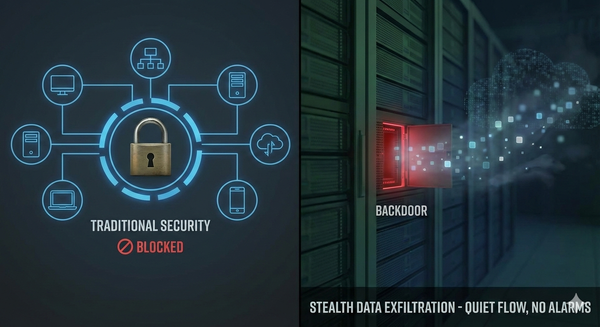
On January 16, 2026, Socket Security's Threat Research Team disclosed the discovery of five coordinated malicious Chrome extensions masquerading as productivity tools for major enterprise platforms, including Workday, Oracle NetSuite, and SAP SuccessFactors. These extensions don't just steal credentials—they actively block your security team's ability to respond while enabling complete account takeover through session hijacking.
If your organization uses browser-based HR or ERP platforms, this threat demands immediate attention.
Understanding the Attack: Three-Pronged Compromise
What makes this campaign particularly dangerous is its coordinated, multi-stage approach. The Socket research team identified that the extensions deploy three distinct attack methodologies simultaneously:
1. Continuous Cookie Exfiltration
The extensions harvest authentication cookies every 60 seconds and transmit them to attacker-controlled servers. Unlike a one-time credential theft, this persistent exfiltration means that even if users change passwords, attackers maintain access through valid session tokens until those sessions expire.
2. DOM Manipulation to Block Incident Response
Perhaps the most insidious capability: the extensions actively manipulate the Document Object Model (DOM) to prevent administrators from accessing security controls. One extension blocks access to 44 administrative pages within Workday, while another extends this to 56 pages, including:
- Authentication management consoles
- Security proxy configurations
- IP range management interfaces
- Session control settings
- Password change functionality
- Two-factor authentication device management
- Security audit log access
This means that while attackers are actively compromising accounts, your security team may be unable to access the very tools needed to investigate and remediate.
3. Bidirectional Session Hijacking
The attack enables complete account takeover through cookie injection, allowing attackers to assume the identity of any compromised user. Combined with blocked administrative access, this creates a scenario in which attackers operate freely while defenders are locked out of their own security controls.
The Extensions: What to Look For
The campaign operates under two publisher identities but shares identical infrastructure patterns, indicating a coordinated operation:
Publisher: databycloud1104
- DataByCloud Access
- Tool Access 11
- DataByCloud 1
- DataByCloud 2
Publisher: softwareaccess
- Software Access
These extensions present themselves as productivity tools that streamline access to enterprise platforms—a compelling pitch for users managing multiple accounts across Workday, NetSuite, and SuccessFactors environments.
Why Browser Extensions Represent a Critical Blind Spot
This attack highlights a systemic vulnerability in enterprise security architectures. Consider these factors:
The Permission Problem: Browser extensions can request broad permissions—including the ability to read and modify data on all websites, access cookies, and inject scripts. Many users grant these permissions without scrutiny, assuming extensions from official stores are safe.
The Visibility Gap: Traditional endpoint detection tools often lack visibility into browser extension behavior. Extensions operate within the browser sandbox, creating a blind spot between endpoint security and network monitoring.
The Trust Paradox: Employees naturally trust tools that integrate with sanctioned enterprise applications. When an extension appears to enhance productivity within Workday or NetSuite, it carries implicit legitimacy.
The Persistence Risk: Nearly 60 percent of browser extensions go years without updates or security patches, based on Stanford/similar research. Extensions that are rarely maintained become attractive targets for attackers seeking supply chain footholds.
Immediate Response Checklist
If your organization uses Workday, NetSuite, SuccessFactors, or similar HR/ERP platforms, take these steps immediately:
1. Extension Inventory and Removal
- Audit all installed Chrome extensions across your user base.
- Search for extensions matching the names or IDs associated with this campaign.
- Remove any extensions requesting cookie permissions for enterprise HR/ERP domains.
- Critical: Perform remediation from a clean system—resetting passwords from an infected browser results in immediate token theft.
2. Authentication Review
- Examine authentication logs for unexpected access patterns:
- Simultaneous sessions from multiple IP addresses
- Geographically inconsistent access patterns
- Access from unfamiliar devices during the period when extensions were installed
- Force password resets from verified clean systems for any accounts where these extensions were detected
3. Trusted Device Audit
- Review and revoke trusted device registrations across all affected platforms.
- Remove unrecognized devices that may have been registered using stolen sessions.
- Re-validate two-factor authentication device enrollments.
4. Security Configuration Verification
- Confirm that security policy changes were successfully deployed.
- Verify that administrative controls are accessible and functioning.
- Review audit logs for any unauthorized configuration modifications.
Building Resilient Browser Security: A Framework for IT Leaders
Reactive response isn't sufficient. Organizations need proactive browser security strategies:
Implement Extension Allowlisting
Industry Best Practice: Deploy enterprise browser management that restricts extension installation to pre-approved, vetted extensions only. Both Chrome Enterprise and Microsoft Edge for Business support Group Policy enforcement of extension allowlists.
Practical Implementation:
- Establish a formal extension request and review process.
- Evaluate extensions for excessive permissions, publisher reputation, and code quality.
- Create a curated internal extension catalog.
- Configure policies to block the installation of non-approved extensions
Deploy Browser Security Platforms
Modern browser security solutions provide capabilities traditional endpoint tools lack:
- Real-time extension behavior monitoring
- Anomaly detection for suspicious extension activities
- Policy enforcement at the browser layer
- Integration with existing SIEM/XDR platforms
Adopt Zero Trust Browser Architecture
Treat the browser as an enforcement point within your Zero Trust framework:
- Continuous identity verification during browser sessions
- Device posture assessment before granting access to sensitive applications
- Conditional access policies that can downgrade access or require re-authentication based on risk signals
- Session monitoring with automatic termination upon detecting anomalous behavior
Establish Extension Governance
My Recommendation: Create a cross-functional browser extension governance committee including representatives from IT, Security, HR, and business units. This body should:
- Define extension risk classification criteria.
- Approve exceptions with documented business justification.
- Conduct quarterly reviews of approved extensions.
- Maintain incident response procedures specific to extension compromises.
Common Mistakes to Avoid
Based on patterns observed across enterprise environments, these missteps frequently undermine browser security postures:
Relying Solely on Web Store Ratings: User ratings are unreliable indicators of extension safety. Dangerous extensions frequently maintain high ratings, and reviews can be manipulated.
Assuming "Productivity" Means Safe: Attackers specifically choose productivity-focused disguises because they lower user suspicion. Business utility doesn't equal security validation.
Treating Browsers as Consumer Tools: Consumer browsers lack the granular controls enterprises need. Failing to implement enterprise browser management leaves organizations dependent on individual user judgment.
Ignoring Extension Updates: Abandoned or infrequently updated extensions represent supply chain risks. Establish policies for maximum acceptable extension age and update frequency.
Siloing Browser Security from Broader Strategy: Browser threats intersect with identity security, data protection, and endpoint defense. Integration, not isolation, produces effective defense.
The Path Forward
The discovery of these malicious extensions targeting Workday, NetSuite, and SuccessFactors should serve as a catalyst for reassessing your organization's browser security strategy. The browser has become the primary workspace for enterprise users—it's where sensitive data is created, accessed, and moved. That reality demands security treatment commensurate with the risk.
For organizations seeking to strengthen their browser security posture, the first step is understanding your current state: What extensions exist in your environment? What permissions do they hold? What visibility do you have into their behavior?
If those questions don't have confident answers, that's where the work begins.
Take Action Now
Your enterprise browsers are attack surfaces. Whether you're evaluating enterprise browser solutions, implementing extension governance policies, or responding to a potential compromise, expert guidance accelerates your security maturity.
Sources
- Socket Security Threat Research Team - "5 Malicious Chrome Extensions Enable Session Hijacking in Enterprise Environments" (January 16, 2026)
- https://socket.dev/blog/5-malicious-chrome-extensions-enable-session-hijacking
- The Hacker News - "Five Malicious Chrome Extensions Impersonate Workday and NetSuite to Hijack Accounts" (January 16, 2026)
- https://thehackernews.com/2026/01/five-malicious-chrome-extensions.html
- Cyware Social - Cyber Security News Articles (January 16, 2026)
- https://social.cyware.com/cyber-security-news-articles
- CYFIRMA - Weekly Intelligence Report – January 16, 2026
- https://www.cyfirma.com/news/weekly-intelligence-report-16-january-2026/
- Venn Security - "Top 10 Browser Security Best Practices for 2026"
- https://www.venn.com/learn/browser-security/browser-security-best-practices/
- Google Chrome Enterprise - Secure Enterprise Browsing Solutions
- https://chromeenterprise.google/solutions/secure-browsing/